Loading ...

Haidar

IT

IT

IT Project – Smart Watering Plant

IT Smart Watering Plant IT Project: Smart watering Plant hi guys🙌,This is my 5th IT project called Smart Watering Plant. In this project, I created a simple system that can water plants automatically based on the soil condition. I used a soil moisture sensor to detect how dry or wet the soil is. When the soil becomes too dry, the system will turn on the water pump and start watering the plant. When the soil is already moist enough, the system will stop automatically. https://youtu.be/teNVSI_poIY

English, IT

IT Project Presentation – Microbit Line Follower

IT IT Project Presentation English IT Project Presentation – Microbit Line Follower Hi Guys 🙌.This is my third IT project presentation and the title is Line Follower Robot. In this project, I built a robot that can automatically follow a black line on a white track without manual control. I used Micro:bit as the main microcontroller that works as the brain of the robot, Tiny:bit as the robot base with motors and wheels, and an infrared (IR) sensor to detect dark and light surfaces. The sensor reads the surface under the robot and sends data to the Micro:bit. Then, the Micro:bit processes the data using the program I created and controls the motors to move forward, turn left, or turn right depending on the position of the line. This project uses the basic concept of input, process, and output, where the sensor is the input, the Micro:bit is the processor, and the motors are the output. During this project, I learned about programming logic such as if-else statements, motor control, and how hardware and software work together in a robotic system. I also improved my problem-solving skills by adjusting the speed and fixing errors in the code. Overall, this project helped me understand basic robotics in a simple and practical way.    https://www.youtube.com/watch?v=mljVTIiaCX4

IT

IT Project – Tiny Bit Line Follower

IT Line Follower IT Project: Tinybit Line Follower hi guys🙌,This is my fourth IT project called Line Follower. In this project, I used Micro:bit as the microcontroller and Tiny:bit as the robot base. The goal is to make a robot that can automatically follow a black line on a white track. I used an infrared (IR) sensor to detect the difference between dark and light surfaces, then the sensor sends data to the Micro:bit. The Micro:bit processes the data using simple logic and controls the motors to move forward, turn left, or turn right based on the line position. From this project, I learned about sensors, motor control, programming logic, and how hardware and software work together in a robotic system. https://www.youtube.com/watch?v=W1xoTRpzfSc

IT

IT Project – Hand Gesture With Microbit

IT Hand Gesture IT Project: Hand Gesture With Microbit Hi Friends 🙌.This is my third project in the IT subject called Hand Gesture. In this project, I worked on a robotics system that can move by recognizing hand gestures. I used Micro:bit as the main microcontroller and Tiny:bit as the robot base so the robot can move forward, backward, and turn. To detect hand gestures, I used the Teachable Machine platform to train a model that recognizes different hand movements. I also used a LoFi Robot system to connect the gesture recognition with the robot’s movement. All explanations about how the system works, including the hardware, coding, and testing process, are explained in detail in my YouTube video. Through this project, I learned basic machine learning, robotics, and how to integrate artificial intelligence with hardware in a simple and creative way. https://youtu.be/HtdnD4pegTo

IT

IT Project – Smart Trash Bin

IT Smart Trash Bin IT Project: Smart Trash Bin Hi Friends 🙌. My second IT project is called Smart Trash Bin. In this project, I learned how to use a servo motor and an ultrasonic sensor. The ultrasonic sensor works as a distance detector to sense when an object or a hand is near the trash bin. When the sensor detects something close, it sends a signal to the servo motor. Then, the servo motor automatically opens the trash bin lid. Through this project, I learned how sensors and motors can work together to create a simple smart system. This project helped me understand basic electronics, automation, and how technology can be used to make daily activities easier and more efficient. https://www.youtube.com/watch?v=shMPLGTlLH0

IT

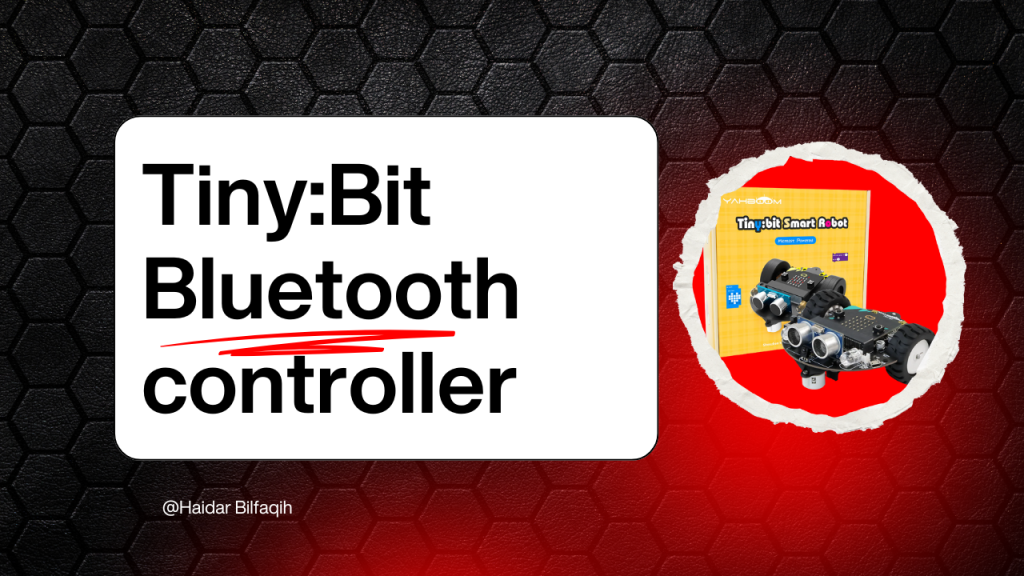
Tiny:Bit Bluetooth Controller

IT Tiny Bit Bluetooth Controller IT Project: Tiny Bit Bluetooth Controller Hi friend🙌, hello my name is haidar bilfaqih im from Bekasi and right now I’m still studying in IDN Boarding school and right now in this website I will show you the video and description in this video and in this occasion I will share you or demonstrate about tiny bit bluetooth controller in tiny bit many components and in the microbit is also many and I tell you all components, and also I tell you how to use the bluetooth pls watch it https://www.youtube.com/watch?v=gvmXVNLkLvw

English, IT

IT Project Presentation – Scratch Catching Fruit 

English IT Project Presentation IT Project Presentation – Scratch Catching Fruit Hi Friends 🙌. For my third IT project in English class, I presented my own Scratch game called Catching Fruit Game. In this project, I explained to my classmates how the game works and what I created in it. The goal of the game is to catch all the falling fruits while avoiding every ladybug that appears on the screen. If the player touches a ladybug, they lose, but if they manage to collect the fruits, they score points. This project helped me practice explaining my work clearly and showing how my game functions. 🔽!WATCH HERE!🔽 https://youtu.be/vaCCSalXKa4

IT

Defender

The Defender IT The Defender Hi Friends🙌, My game is called **The Defender**. In this game, the player must protect their base from waves of enemy soldiers trying to attack. If 20 soldiers reach the base, the player loses the game. To win, you need to stop all the enemies before they touch the base. The game includes three different difficulty levels: easy, medium, and hard, each offering a more challenging experience to test your defense skills. 🔽See My Demonstration Video 🔽 https://youtu.be/ncFXFu_vKUw Let’s Play The Game

IT

Bomberman

Bomberman Hi friends 🙌. This is my fifth project on IT lesson Bomberman is an exciting action game where you play as the Bomber. Your mission is to defeat all enemies using bombs that you can place by pressing the space bar. You must eliminate two enemies to win the game. But be careful—if you touch an enemy even once, you’ll instantly lose. Plan your moves, set your bombs wisely, and claim your explosive victory!     🔽SEE MY VIDEO🔽 🔽SEE MY VIDEO🔽 https://www.youtube.com/watch?v=9dwZFOVK_4o !Play My Game!

IT

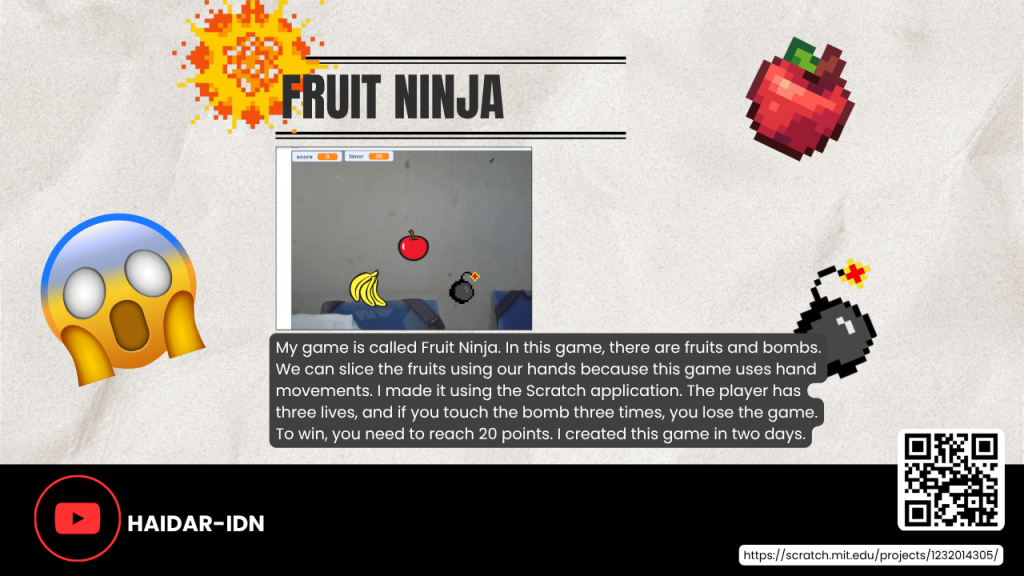
Fruit Ninja

IT Fruit Ninja Fruit Ninja My game is called Fruit Ninja. In this game, players slice fruits and avoid bombs using their hands, as it’s a motion-based game made with Scratch. You start with three lives, and each time you touch a bomb, you lose one. If you hit a bomb three times, the game ends. The goal is to reach 10 points to win. I developed this game in just two days, focusing on fun, challenge, and quick hand movement.      🔽See Video Here🔽 https://www.youtube.com/watch?v=IrR0teMHGrI Let’s Play!!🙌

Scroll to Top